
Cut AI Costs: Measure Cost per Successful Task, Not Tokens
Are you picking the cheapest AI model and staring at per-token prices, hoping that's how you'll keep costs down? If a cheap model needs three tries to finish the same job, the money you actually spend can go up, not down.
This post is based on what the daglo team heard in the Production and Optimization session at OpenAI Builder Bootcamp Seoul on October 27, 2026. It's written so you can follow along without a technical background: how to measure AI cost correctly, and the order in which to bring it down.
Cutting AI costs starts with the cost of one successful task

Measure AI cost by what it takes to complete one task successfully, not by the price per token. The speaker explained that you only see the real cost once you divide total spend by the number of tasks that actually succeeded.
A token is the unit AI models use to count the text they read and write, and pricing is usually tokens times a unit price. But when a cheaper model fails and retries, those attempts add up. Here's a hypothetical example to make the point.
| Setup | Cost per attempt | Average attempts to succeed | Cost per successful task |
|---|---|---|---|
| Small model, high reasoning | 3 | 4 | 12 |
| Large model, low reasoning | 10 | 1 | 10 |
Count everything: input and output tokens, the cost of writing and reading the cache, and the compute used to run tools. The session also pointed out that trimming input and output, or making good use of caching, can lower cost and response time at the same time. We explain how caching works in What is prompt caching?
Set your quality bar first, then start with a strong model

The first step in optimization isn't choosing a model. It's building an evaluation set that spells out what success and failure look like. Without it, you can't tell whether quality dropped after you switched models.
The speaker recommended writing down not only the answers you want, but also which outputs count as failures. The suggested order:
- Build with a high-performing model first: confirm the target quality is actually reachable.
- Try a lighter model: compare quality and cost on the same evaluation set.
- Route by request type: send easy questions to a small model and complex research to a larger one.
The price gaps between models are real. On OpenAI's official pricing page, checked on November 4, 2026, GPT-6 Luna's input price is one tenth of GPT-6.1 Terra's, and Terra's is half of GPT-6.1 Sol's. Prices change often, so check again before you commit.
Lock the output format to cut retry costs
If one AI step feeds the next, fixing the output format is basic cost control. When the format drifts, the next step breaks, and you pay to run it again.
Say you need an amount as a number, but the model replies "about 30 dollars" as text. The next program in the chain throws an error. The session stressed that describing the shape you want in the prompt isn't enough. OpenAI's Structured Outputs guarantees that responses follow a JSON schema the developer defines.
Lowering verbosity, the setting for answer length, also trims output tokens and response time. It's separate from reasoning effort, which controls how hard the model thinks.
Break response time into parts
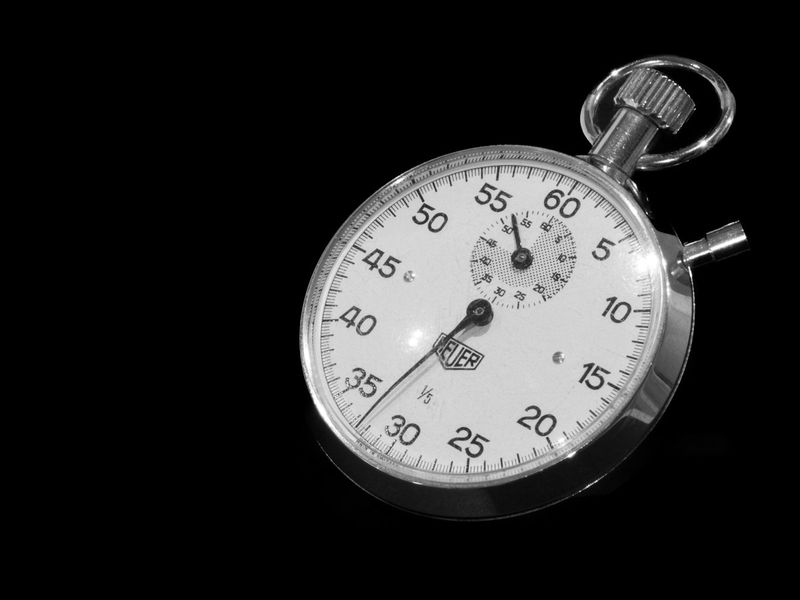
"The AI is slow" doesn't tell you what to fix. The session recommended separating the time to the first output from the total completion time, and logging model time and tool time separately.
- Time to first token (TTFT): how long the user feels they're waiting.
- End-to-end time: when the task is actually done.
- Distribution: measure over a meaningful period, not once or twice, and track the median (P50) and the slowest 1% (P99).
Once you measure, the bottleneck often turns out to be round trips between the model and tools rather than the model itself. Combining lookups into one tool, or running independent lookups in parallel, cuts waiting time.
Batch the work that can wait

Not every request needs an instant answer. For work that can wait, choosing a batch-style execution mode can cut costs sharply on the same model.
| Mode | What it does | Good fit |
|---|---|---|
| Standard | Default speed and price | Typical interactive apps |
| Fast | Faster, at a higher price | Customer-facing replies where speed matters |
| Batch | Submit many requests at once and get results within 24 hours, 50% off per the official docs | Enriching product descriptions, bulk classification |
| Flex | Priced like Batch on the official pricing page, but may be slower or hit temporary capacity errors | Internal jobs that can wait |
Batch finishes within 24 hours; it doesn't always take 24 hours. The session also noted that Flex can fail when capacity is short, so you need a retry plan. To keep long conversations from inflating input, see What is compaction?
Save the instructions you repeat and get results in the same format
The same principle works in everyday work. When you stop rewriting the same instructions and get results in a fixed format, you spend less time re-asking and fixing.
In daglo, you can save a summary format such as "decisions, action items, next meeting" in My Templates. daglo remembers it and summarizes every recording in that format as soon as it ends, so every meeting produces the same structure. If you have follow-up questions, Board Chat answers from the transcript, and you can check the source right away.
Turn on Speaker ID and there's even less cleanup. Speaker ID remembers the voices of the people in your meetings and fills in their real names instead of "Speaker 1" from the next recording on. daglo is the first in Korea to offer it to every user. Learn more about Speaker ID
#AICostReduction #AICost #StructuredOutputs #BatchAPI #AIOptimization #OpenAI #MeetingNotes #daglo
Where talk becomes work.
Get started with 1,000 credits a month — no credit card required.