
Multi-Agent AI Explained: Why Start With One Agent
Have you ever wired up several AI agents, only to spend the afternoon figuring out which one did what? Every agent you add brings more coordination along with it.
A multi-agent system is a setup where several AI agents split up a task, each handling one part, and their results are combined into a single outcome. The daglo team put this guide together from what we heard at OpenAI DevDay Seoul 2026 and from OpenAI's official documentation. The short version: start with one agent, and add more only when you have a clear reason.
What is a multi-agent system?
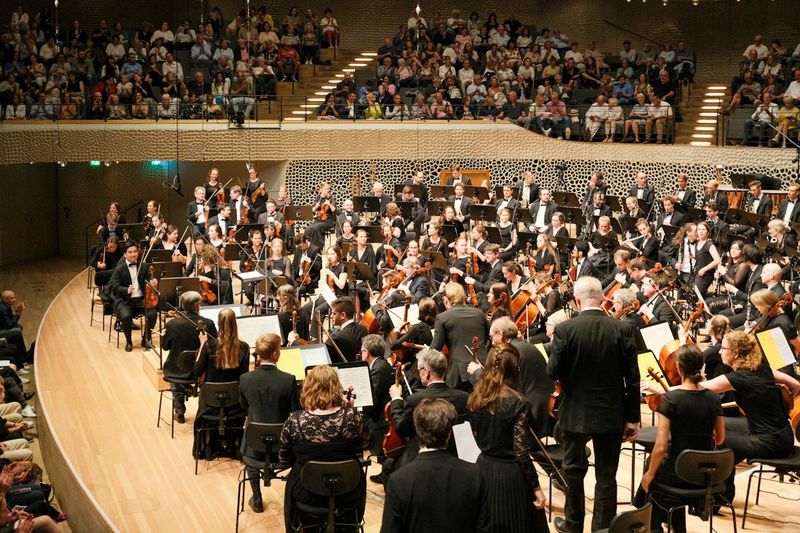
A multi-agent system gives different kinds of work, such as research, drafting, and review, to separate agents. Each agent works with its own instructions and tools, and the results are pulled together into one answer.
OpenAI's developer docs on orchestration and handoffs describe two common ways to divide the work:
- Manager pattern (agents as tools): A manager agent stays in charge of the conversation, calls specialist agents the way it would call a tool, and writes the final answer itself.
- Handoffs: A first agent figures out what the request is about and passes the conversation to the right specialist, who then responds directly.
At the Seoul event, speakers described the same idea: several agents work independently while a manager agent assigns and coordinates the work. Either way, each agent runs on a harness, the layer that controls what goes into the model, runs tools, collects results, manages context, and decides when the job is done.
Single agent vs. multi-agent: a quick comparison
A single agent is simple, so it's easy to inspect and fix. Multiple agents can work in parallel, but they cost more to run and take more effort to coordinate.
| Aspect | Single agent | Multi-agent |
|---|---|---|
| Strengths | Easy to follow, test, and fix | Runs independent work in parallel; clean separation of roles |
| Cost | Fewer model calls and tokens | Calls and tokens add up with every agent |
| Coordination | Almost none | You decide who owns what and how results are merged |
| Best for | One goal with steps that build on each other | Large jobs with independent parts or separate permissions |
Why you should start with one agent

OpenAI recommends getting as much as you can out of a single agent first. More agents give you a tidy separation of roles, but they also add complexity and overhead, and a single agent with the right tools is often enough.
OpenAI's practical guide to building agents makes the same point: start with one agent and move to multiple agents only when you need to. The Seoul talk added a practical recipe: one agent, a clear goal, and a way to check the work. In practice, that comes down to three things.
- A goal: Write down what "done" means. The talk described a /goal pattern, where the goal is kept separately so that if one run ends while the goal is still open, the agent picks the work back up.
- A way to verify: Have the agent check its results at each step and report anything missing before it declares the task finished.
- A worklog: Keep the goal, decisions already made, and unfinished work somewhere that survives a long session. When a long conversation gets condensed, these are exactly the things that need to stay. See our explainer on compaction for how that works.
Signs it's time to add more agents
Consider splitting the work when a single agent keeps making the same mistakes even after you've tightened its instructions and tools. OpenAI's guidance points to a few clear cases.
- Complex logic: The instructions are full of if-this-then-that branches and have become hard to maintain.
- Tool overload: The agent keeps picking the wrong tool because several tools look alike, and clearer names and descriptions haven't helped.
- Separate rules or permissions: Parts of the job need different access or policies.
- Truly independent work: Pieces of the task don't depend on each other and can run at the same time.
Scale changes the picture, too. At the Seoul event, speakers shared one math research project that used roughly 10,000 agents, 2.7 million messages, and 130 billion tokens. Those are figures presented for a specific research case, not a typical workload. If you do split your system, decide how you'll measure success first, as covered in our guide to AI agent design patterns, so you can tell whether more agents actually helped.
What to keep in a shared worklog

A worklog is a short, shared note that both people and agents read before they act. The Seoul talk recommended keeping it concise and focused on what changed, who owns what, and where things stand.
- Changed requirements: What's different from the original brief, and why
- Ownership: Which person or agent is responsible for each piece
- Status: What's done, what's in progress, and what's blocked
- Decisions and next steps: So nobody reopens a question that's already settled
Human teams work the same way: the worklog starts in meetings
Most requirement changes and task assignments happen in meetings. When those meetings are transcribed, people and agents can work from the same record instead of from memory.
daglo transcribes and summarizes your meetings and keeps the full transcript alongside the summary. Ask Board Chat something like "List only the changed requirements and who owns each task," and you have a first draft of your worklog. Save that request in My Templates, and daglo will summarize every new recording in the same format automatically. Speaker ID remembers the voices of the people in your meetings and fills in their real names instead of "Speaker 1" from the next recording on, so it's clear who agreed to take on what. daglo is the first service in Korea to offer this to all users. Learn more about Speaker ID
Curious about personal agents that keep working between conversations? Read our explainer on ChatGPT Dots, the always-on AI agent.
#MultiAgent #AIAgents #SingleAgent #AgentOrchestration #Worklog #OpenAI #SpeakerID #daglo
Where talk becomes work.
Get started with 1,000 credits a month — no credit card required.