
Speech Recognition Accuracy: Live vs. Batch Transcription
Ever had a meeting transcript turn your client's company name into nonsense and spell every number out as words? One wrong name or figure means replaying the recording to fix it, and that can take longer than the meeting itself.
The daglo team put this guide together from a realtime voice session we attended at OpenAI Builder Bootcamp Seoul on October 27, 2026. We double-checked model names and features against OpenAI's official documentation.
Speech recognition accuracy starts with the right setup
Speech recognition accuracy is how faithfully spoken words end up as text. The session's advice was to choose a setup before choosing a model: transcribe after the speaker finishes, transcribe while they talk, or translate on the fly.
| Setup | How it works | Good for | Watch out for |
|---|---|---|---|
| Batch transcription | Converts the full recording after it ends | Meeting notes, interviews, lectures | You wait until processing finishes |
| Live transcription | Shows text while audio streams in | Captions, live notes, support screens | Faster output means less context, so more mistakes |
| Chained translation | Transcribes, translates, then generates speech, one step at a time | When you need to inspect each stage | Wait time adds up at every step |
| Live translation | Produces translated speech and captions while listening | Announcements, multilingual calls | Check numbers and names separately |
OpenAI's realtime transcription guide spells out the same tradeoff: higher delay settings give the model more audio before it emits text, which can lower the error rate. Decide first whether speed or accuracy matters more for your use case.
The airport announcement test: 4.8 seconds vs. 32 seconds
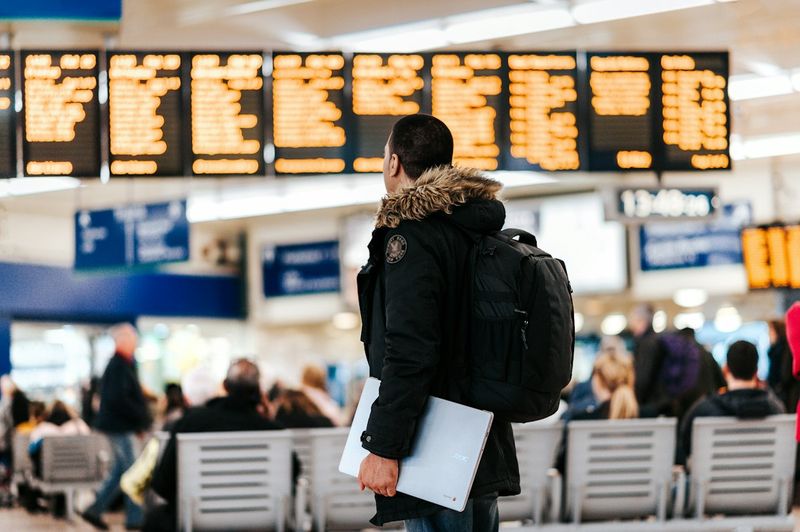
In a comparison shown during the session, the live translation setup produced its first translated caption in about 4.8 seconds, while the chained setup took about 32 seconds. That comes from a single run on the same recording under the same conditions, so treat it as an example, not a guarantee.
The test announcement told passengers to collect their bags at carousel 7 in Terminal 2, then corrected it to carousel 9. Getting numbers and corrections right matters as much as speed. The session named three criteria:
- Speed: how fast it responds, and whether your product really needs that speed
- Accuracy on key details: airline, flight number, carousel number, the details a model can't guess
- Consistency: whether quality holds on the same recording and in noisy conditions
Three ways to get names and numbers right: keywords, context, glossary
Speech recognition trips up most on proper nouns and numbers: company names, product names, people's names. The session covered three things you can set up in advance to fix that.
- Keywords: provide a short list of names and acronyms likely to come up. OpenAI's docs treat keywords as hints, not required output, and the transcript should include one only when it's actually spoken. Keep the list short and relevant.
- Context: describe the recording in a sentence or two, such as an airport announcement, a train station, or a medical consultation. The same sound is easier to resolve when the model knows the setting.
- Glossary: for translation, decide in advance how terms like "information desk" or "baggage claim" should be rendered. Formatting rules, such as writing flight numbers as digits instead of words, can be set the same way.
Start with a small trial, find what comes out wrong, and fix it one setting at a time. Add the words that get misheard most often first, then compare the results.
Long recordings, timestamps, and who's talking: Q&A

For meeting notes, knowing when something was said and who said it matters as much as the words themselves. Here are three questions from the session's Q&A, checked against OpenAI's docs.
Q. Can live transcription run for 30 minutes or longer?
The speaker explained that sessions have a time limit, so going longer means your app has to open a new session and pick up where it left off. OpenAI's docs list 60 minutes as the maximum length of a Realtime session. For long meetings, recording first and transcribing in one pass is easier to manage.
Q. Can I get a timestamp for every word?
Some setups provide them, but the time a server records can differ from when a person actually hears or sees the text, so decide which clock you need first. OpenAI's docs also point to a file transcription model when you need word-level timestamps.
Q. Can it tell who's talking?
The realtime voice model covered in the session is built to separate the user from the AI in a conversation, which is a different goal from telling apart several people in the same room. If you're recording meetings with multiple people, choose a tool built to show who said what.
Don't rely on the summary alone: keep the original transcript
Summaries are convenient, but they're shortened versions, so numbers and corrections can drop out. The session made the same point: even when a long conversation is summarized automatically to keep it going, the app should keep its own transcript and task state.
daglo keeps the recording, the full transcript, and the AI summary together in one board. If a number in the summary looks off, you can jump straight to the transcript to check it, and Board Chat lets you ask follow-ups like "Which deadlines changed in the last meeting?" Meetings with several people are automatically split by who's talking.
Turn on Speaker ID and your notes get even easier to read. It remembers the voices of the people in your meetings and fills in their real names instead of "Speaker 1" from the next recording on. daglo is the first service in Korea to offer this to all users. Learn more about Speaker ID
Curious how a voice AI keeps talking while handling tasks in the background? Read How Voice AI Agents Talk and Get Work Done at the Same Time.
#SpeechRecognition #Transcription #LiveTranscription #LiveTranslation #AITranscription #MeetingNotes #SpeakerID #daglo
Where talk becomes work.
Get started with 1,000 credits a month — no credit card required.