
Lab Meeting Notes: Sort Your Advisor's Feedback by Person
When a lab meeting ends, are you still flipping through your notes wondering, "Was it my advisor or a senior labmate who told me to change that experimental setup?" When you can't remember whose feedback it was, you don't know who to follow up with, and you can end up fixing the wrong thing before the next meeting.
Lab meeting notes are the record of progress updates, feedback, and next steps from a research group meeting. With Speaker ID in daglo, those notes can now include the name of each person who spoke, automatically. It's the first of its kind offered to everyday users in Korea, and the idea is simple: daglo remembers who said what. This guide shows how to use Speaker ID in weekly lab meetings, one-on-one advisor meetings, and presentation rehearsals.
Why is it so hard to remember who said what in lab meetings?
In a lab meeting, several people trade short comments, so a plain recording makes it hard to tell later who said what. With Speaker ID turned on, your transcript shows the names of your advisor and labmates instead of Speaker 1 and Speaker 2.
| Before | With Speaker ID | |
|---|---|---|
| Checking feedback | Replay the recording and guess who said it | Read the notes with names already attached |
| Cleaning up notes | Rename Speaker 1 and Speaker 2 one by one | Names are in place when transcription ends |
| Following up | Not sure who to ask | Go straight to the person who gave the feedback |
Over a semester, those named notes also become a useful history of your project: you can see how the feedback evolved and who pushed for which direction.
It helps most in labs where the same people meet every week. Once daglo remembers a voice, it keeps recognizing it in the meetings that follow.
Weekly lab meetings: keep feedback from your advisor and labmates separate

When you present at a weekly lab meeting, your advisor, senior students, and peers each react from a different angle. With names attached to every comment, it's easier to decide whose feedback to act on first.
- How to use it: start recording with daglo when the meeting begins, then skim the named transcript and summary once transcription is done.
- Ask Board Chat: "List only the parts my advisor asked me to revise."
- Or try: "Collect the papers and methods my labmates recommended."
Lab meetings that switch between Korean and English are transcribed as they are, so it works well for international research groups too.
Advisor meetings: never miss a revision request
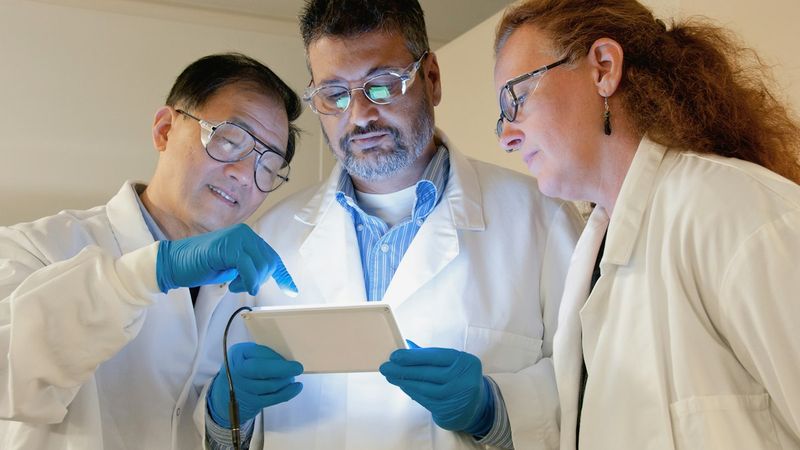
One-on-one meetings with your advisor are often short, but they can change the direction of your thesis. When your advisor's comments and your own questions are separated by name, it's easy to write down exactly what you need to do next.
- How to use it: before the meeting, ask your advisor if it's okay to record for your notes. Starting that way keeps the conversation comfortable for both of you.
- Ask Board Chat: "List what my advisor asked me to bring to our next meeting."
Advice from a meeting months ago stays in your notes with names attached, which is handy when you get stuck mid-draft and need to revisit what was said.
Thesis defenses and rehearsals: organize questions by who asked them

In a practice talk or defense prep session, questions come quickly from several people. Knowing who asked each one makes it much easier to build a list of likely questions and prepare your answers.
- How to use it: record your lab's practice talk, then pull just the questions out of the transcript.
- Ask Board Chat: "Group the questions from this rehearsal by the person who asked them, and flag the ones I didn't answer."
How to set up Speaker ID
There's no separate voice recording to set up. Just transcribe your lab meetings as usual and tell daglo who's who a few times.
- In the transcript, tap Speaker 1 and change it to your advisor's or labmate's name.
- Assign the same person in a few more meetings.
- When you see "daglo can now recognize this person's voice automatically," click Enable.
- From your next transcript on, that person's name appears automatically with an AI badge.
For more details, see our Speaker ID launch post. You can turn Speaker ID on or off for each person, or remove them, anytime in Speaker management. Start naming the people in this week's lab meeting, and from then on daglo keeps track of who said what.
#labmeeting #labmeetingnotes #gradschool #advisormeeting #thesisfeedback #SpeakerID #AImeetingnotes #daglo
Where talk becomes work.
Get started with 1,000 credits a month — no credit card required.