
AI Quiz
What Is AI Quiz?
AI Quiz automatically creates quizzes based on a transcription script or a document for which PDF analysis has been completed.
It can be used effectively to assess learning or create educational materials.
Ways to Use It
- Create review quizzes from a lecture transcript to improve learning outcomes.
- Create and solve quizzes with other members of a study group.
- Check whether employees have understood internal training materials or manuals through quizzes.
Creating AI Quizzes on the Web
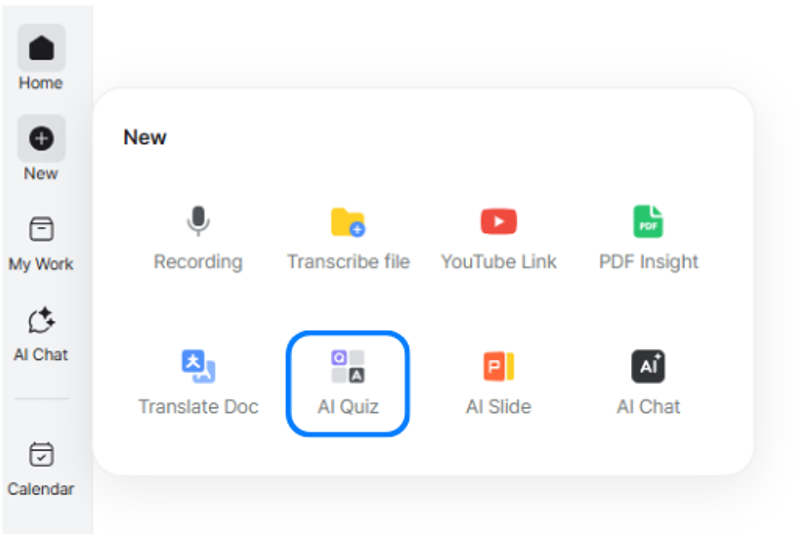
Select [New] > [AI Quiz].
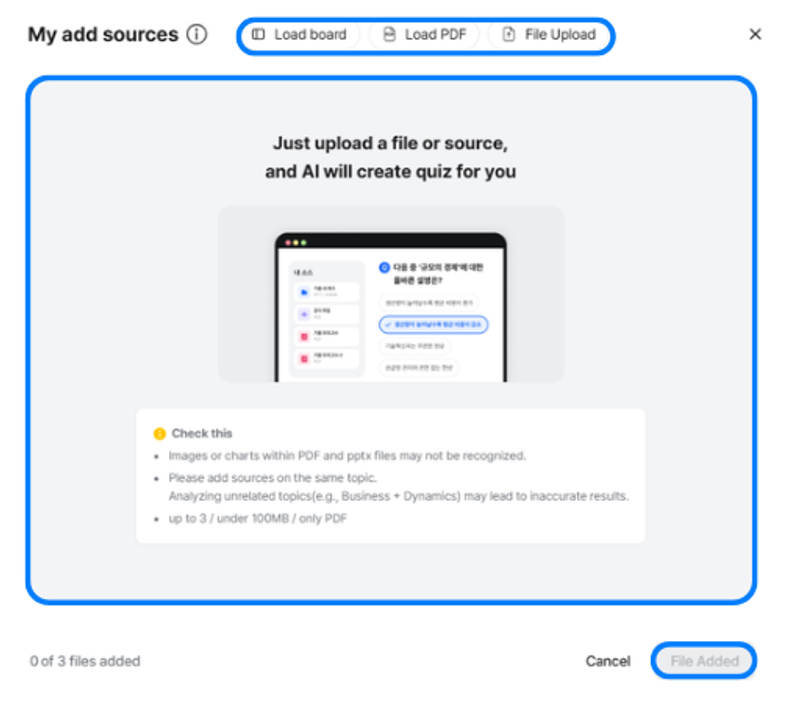
- Click [File Upload] at the top or the upload area to attach a file, or simply drag and drop it.
- To make a quiz based on a board you created, click [Load Board] and select the board.
- To use a file already uploaded to Daglo’s PDF Analysis page, click [Load PDF].
- After all required materials have been uploaded or loaded, click [File Added] in the lower-right corner to create a quiz.

- You can choose the quiz type and difficulty level. The following options are currently available:
- Quiz type: Multiple choice, short answer
- Difficulty: Beginner, intermediate, advanced
- After selecting both the quiz type and difficulty, click [Generate Quiz].

- When you begin generating a quiz, the left menu displays “Generating quiz.”
- Click [Sources] at the top to check the materials you attached.
- Click [Generate Quiz] to make a new quiz immediately.
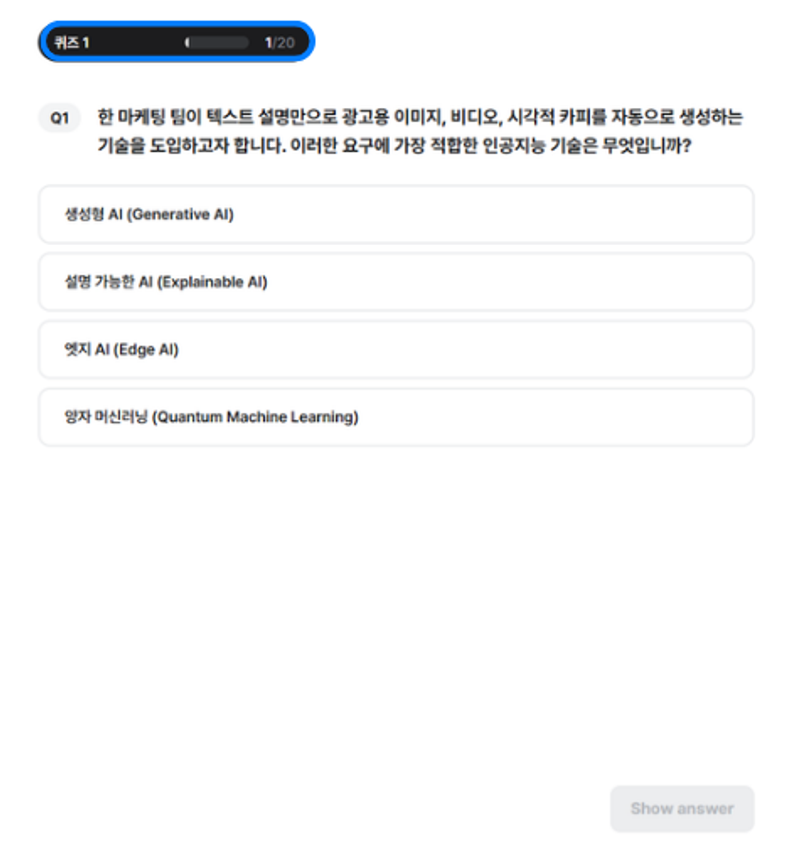
- Once quiz generation is complete, the screen above appears, and you can solve 20 quiz questions at a time.
- Check your progress at the top of the quiz.
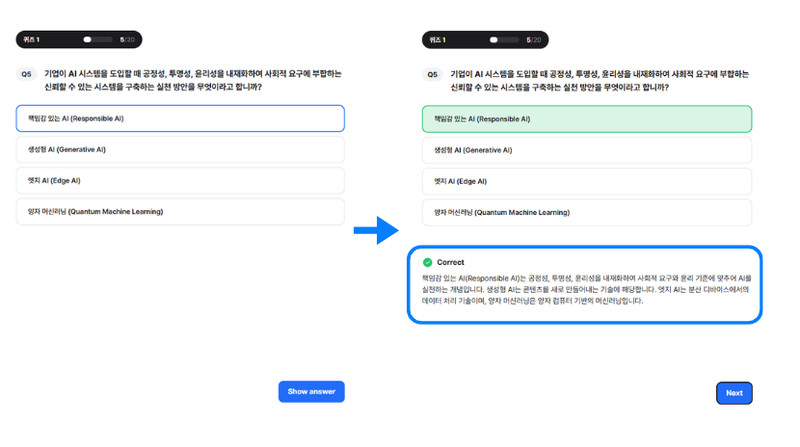
- After reviewing a question, select an answer from the choices and click [View Answer] at the bottom to check it immediately.
- The result is displayed right away, along with the relevant supporting section from the uploaded file.
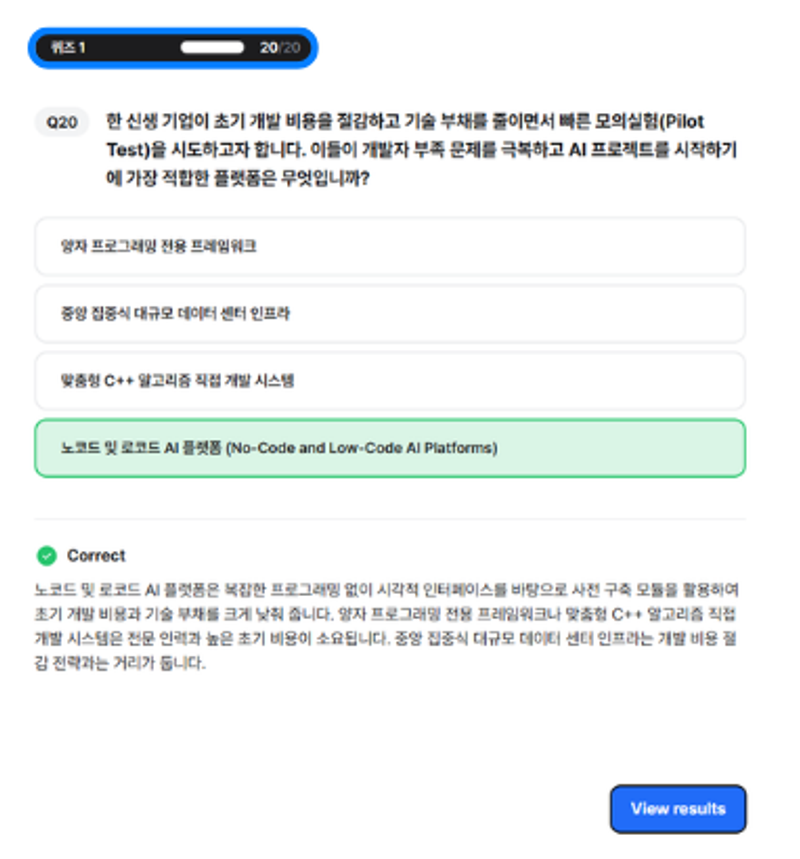
When you have completed all questions, click [View Results] to see your results.

In the results window, you can view the number of correct answers.
Click [Retake same quiz] to take the quiz again from the beginning.
Creating AI Quizzes in the App
You can create AI Quizzes in the app using any of the following paths:
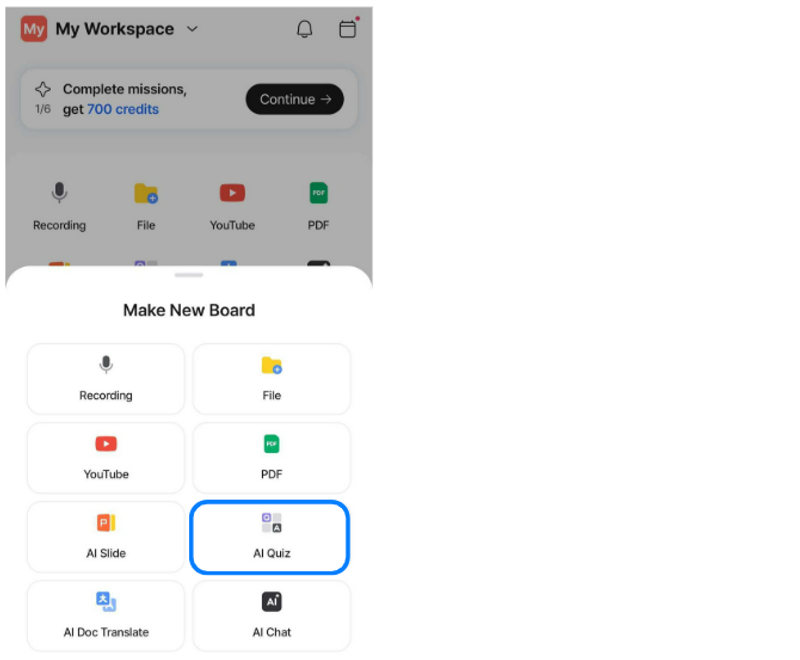
1) Home > Quick Actions > AI Quiz
2) Home > Create (+) in the bottom navigation bar > AI Quiz
3) My Work > AI Quiz
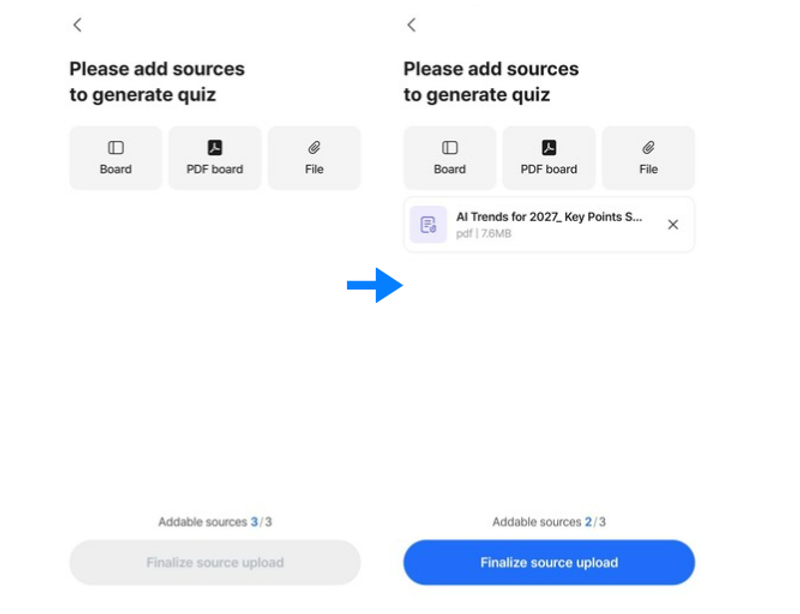
You can add up to three materials to create a quiz.
Add any materials you want, such as board content, PDF analysis results, or files.
After adding your desired materials, tap Finish Adding Materials to complete the process.
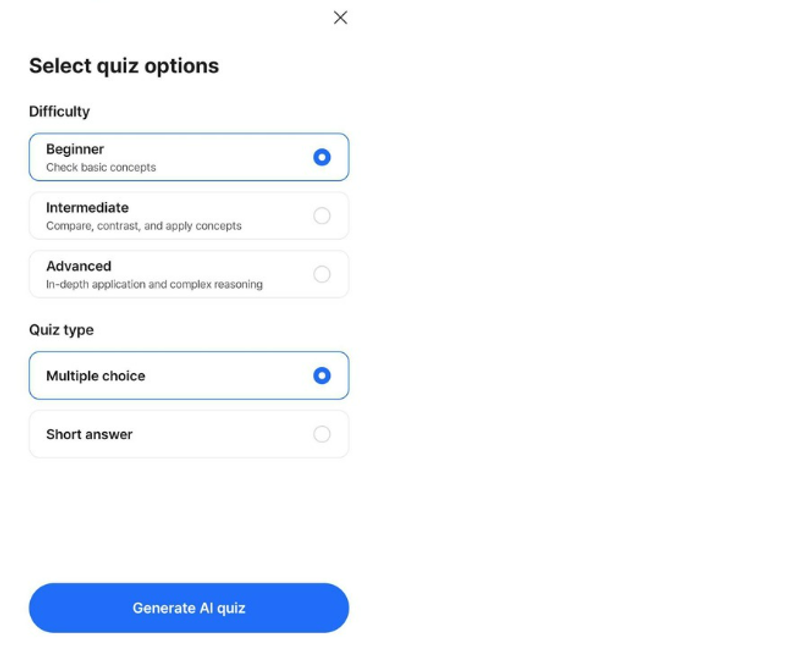
After adding materials, select the options for the quiz you want to create.
You can choose a difficulty level from Beginner to Advanced, as well as either Multiple choice or Short answer questions.
Once you have selected your preferred options, tap Generate AI quiz to begin.
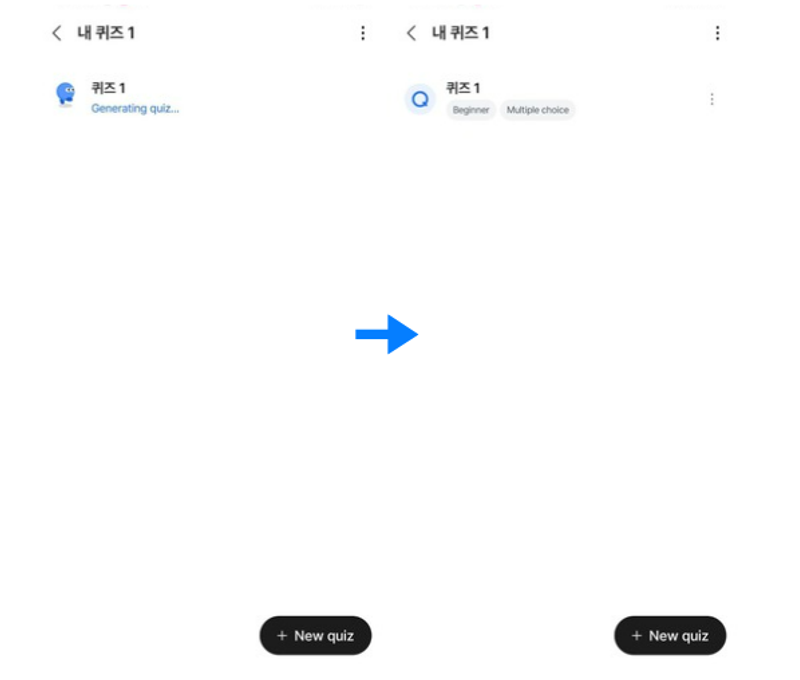
Once quiz generation is complete, the selected options will be displayed below the quiz title.
For a generated quiz, tap the menu button (three dots) to view the materials used for that quiz, rename it, or delete it.
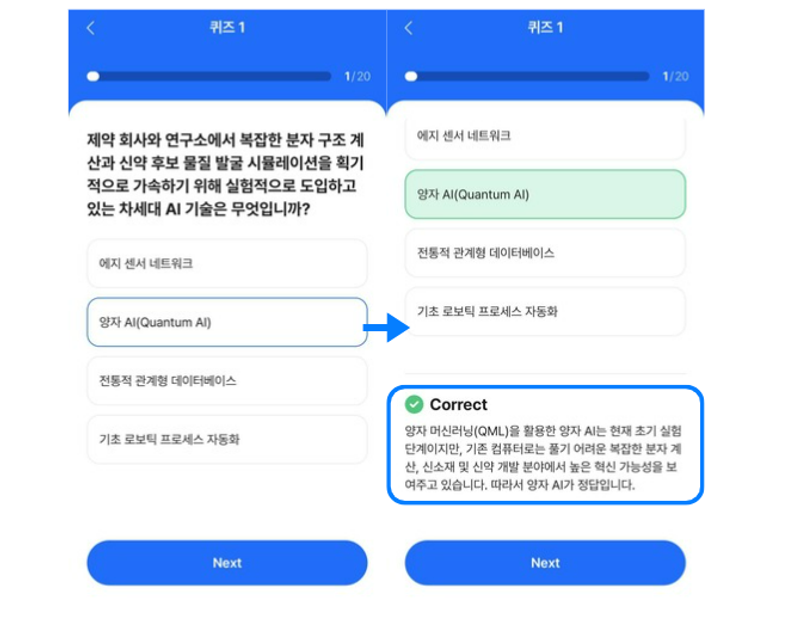
Once quiz generation is complete, you can take a 20-question quiz.
Select an answer, then tap Next to see whether your answer is correct and view an explanation.
Note: For short-answer questions, enter your answer and tap Next to see whether your answer is correct and view an explanation.
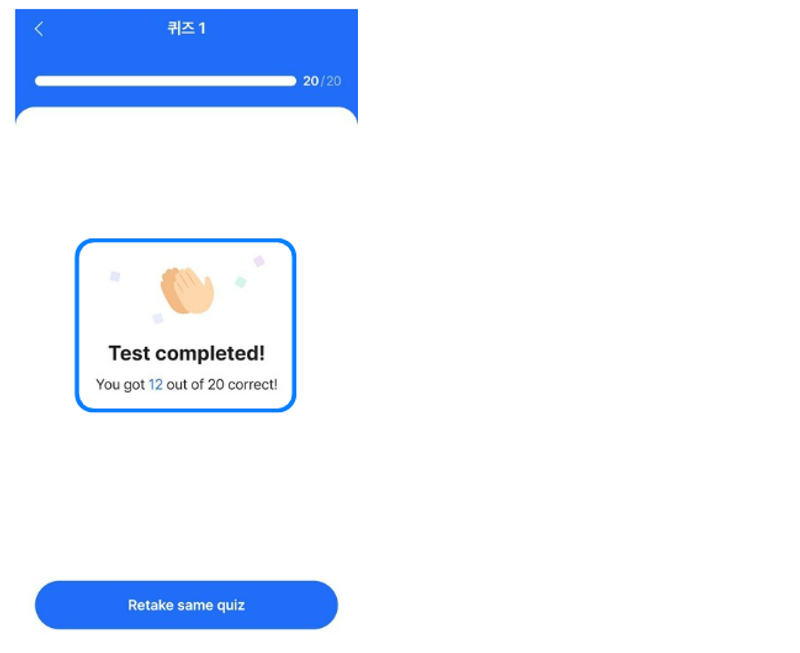
After completing all questions, you can view the number of correct answers.
Tap Retake same quiz at the bottom of the screen to start the quiz again from the beginning.